


Resident Evil 4 was provided by Capcom for review. Thank you!
6 years have passed since the Raccoon City incident and now, Leon S. Kennedy must dive back into a new hell to find and rescue the President’s daughter. Resident Evil 4 is a complete remake of the original game, of the same name, released in 2005. Investigate a secluded European village where something horrible is happening. You will need to push through to unfold the the reimagined story with modernized gameplay and heavily updated visuals. This is the ultimate way to experience the game that redefined the survival horror genre.
Now…let me begin by saying this game is phenomenal. It brings back those awesome RE4 memories and gives them this beautiful polish that I more than welcome. The systems feel more refined, enemies are more responsive, and the story feels so far in-tact from what I remember from the original. Capcom has shown us how remakes should be done with RE2 and 3, so it’s nice to see this trend continue with 4.
Now, after playing the entire game, I can easily say it is one of my favorite games that I have played this year so far. The gorgeous scenery, the re-imagining of the story, and the refined gameplay just feels fantastic. On top of that, Ashley is now a likable character that I didn’t dread being around. I do wish some of the enemies had a little more significance in the story, like Krauser or Ramón, but overall I feel the game did a great job balancing and updating the game in ways I never expected. I highly recommend this game for any survival-horror fans and if you enjoyed the original, this will be a very worthwhile purchase. And this will definitely be one to enjoy on the Steam Deck.
Resident Evil 4 – Steam Deck Performance
After testing Resident Evil 4 throughout the story, I can happily say it plays significantly better than I had expected. I went ahead and created 3 groups of settings, testing each one at multiple points in the story to make sure it could perform. Each one has positives and negatives, but they all do the job well!
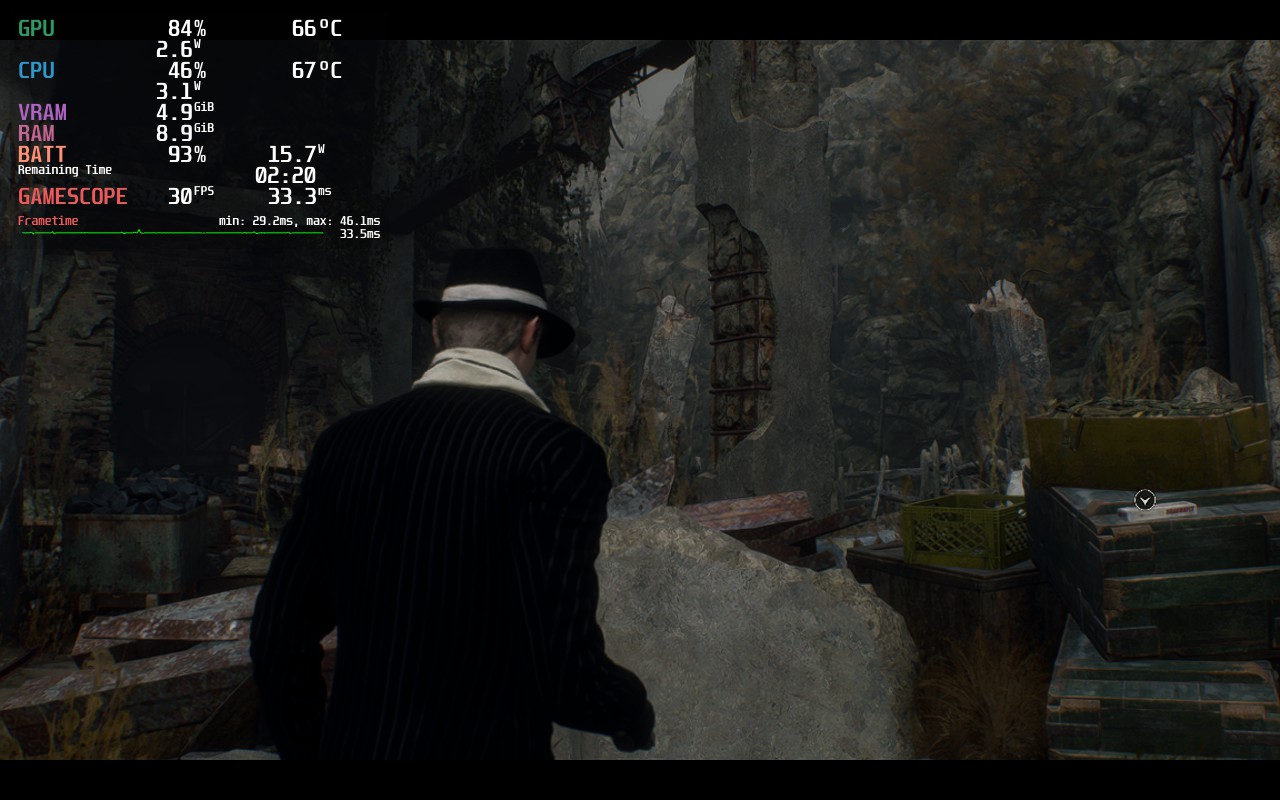
For my recommended build, I am going with the quality settings. Resident Evil 4 isn’t a game I expected to save a ton of battery, so I decided to see how far I could push the settings with a 30 FPS cap and a TDP of 10. Not only can it handle medium graphics and a Quality FSR 2 setting, but I was also able to turn on Ambient Occlusion and Screen Space Reflection effects, which really add to the beauty of the world. I did keep resource-intensive settings on low, but with this and a slight resolution reduction to 1152×720, the game looks fantastic and plays near perfectly. There are some areas where loading in will cause a slight stutter, but this evens itself out quickly and didn’t impact the gameplay.
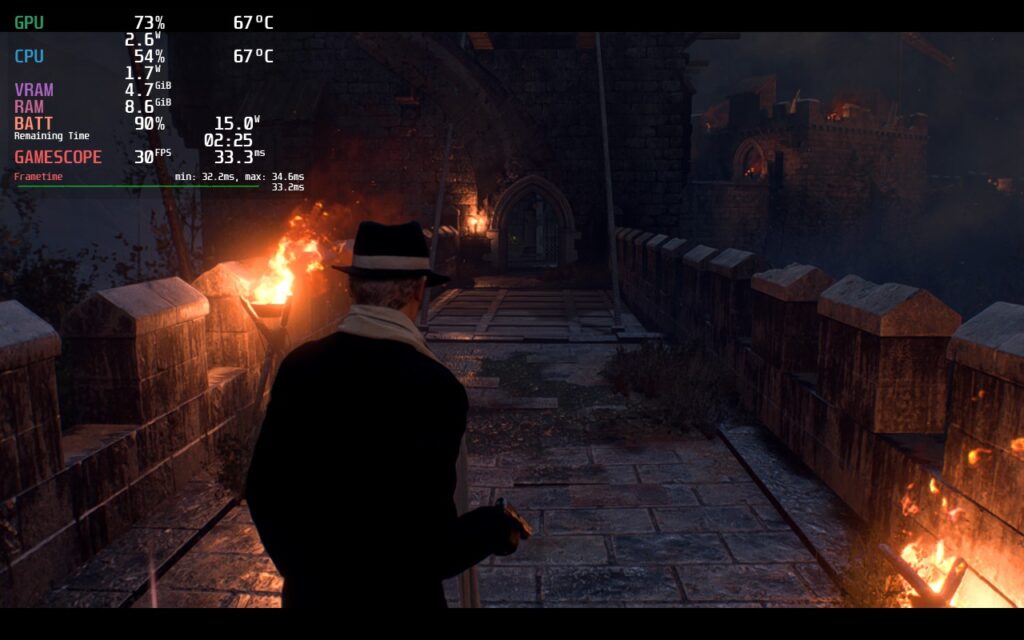
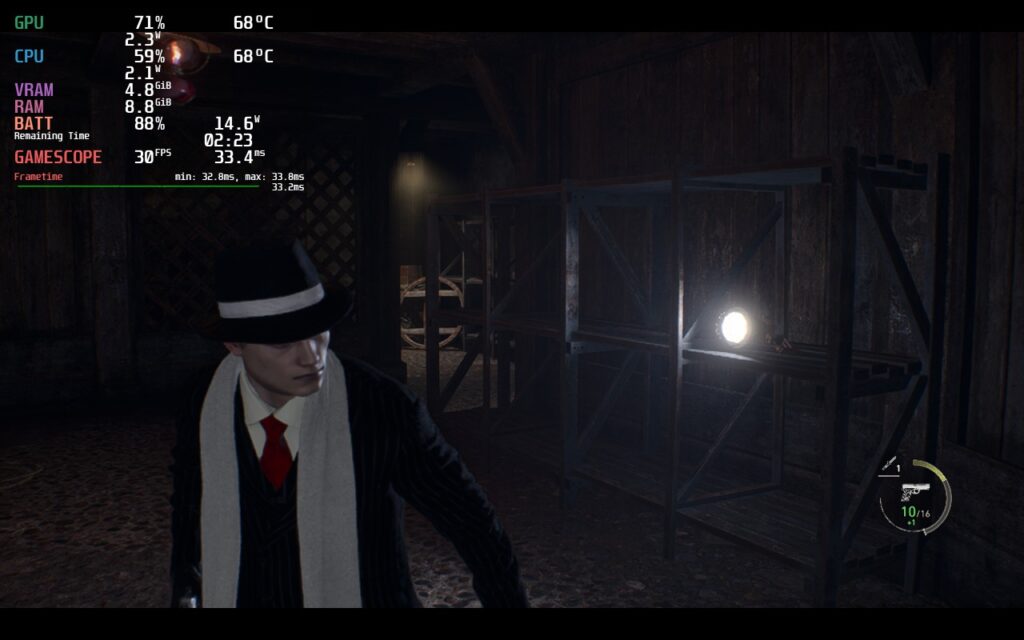
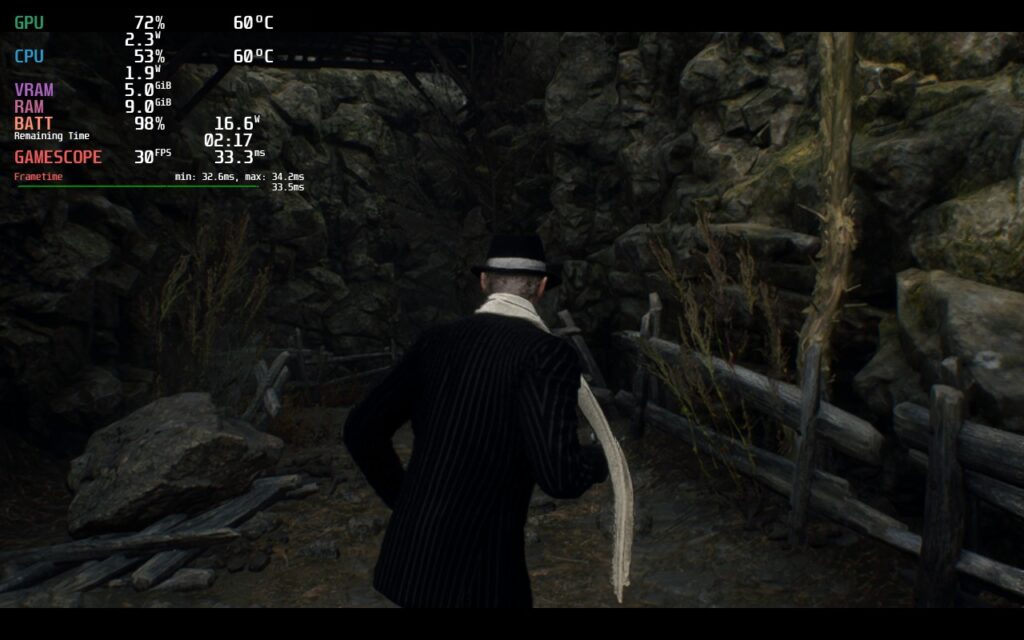
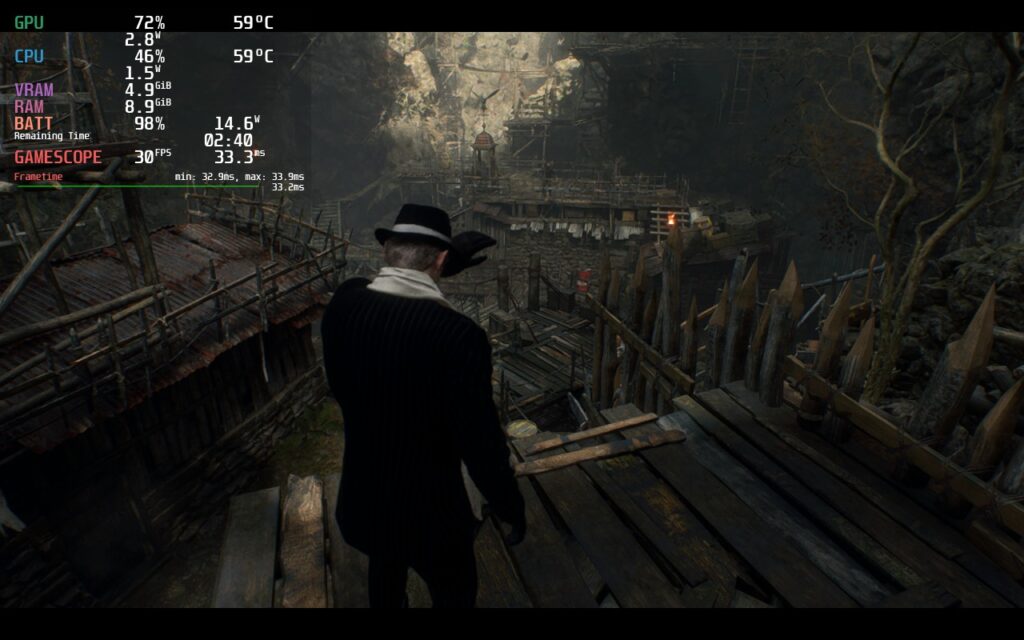
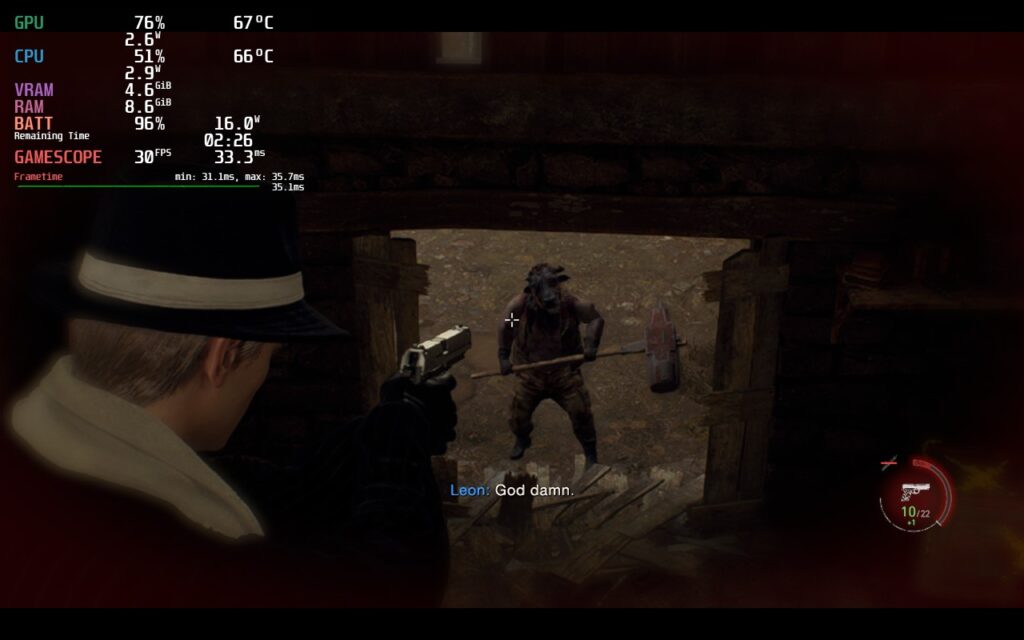
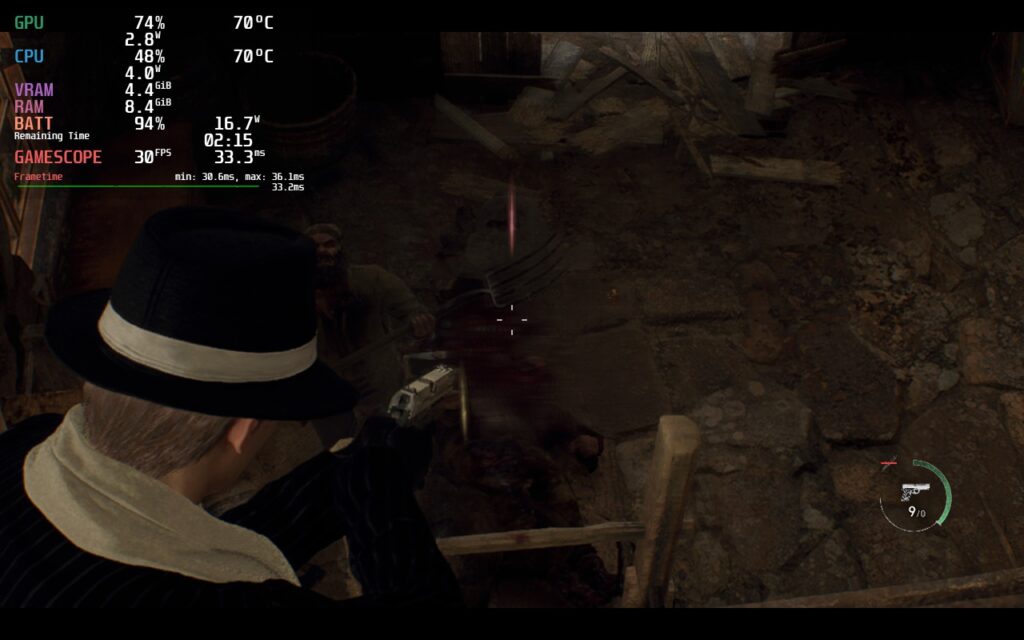
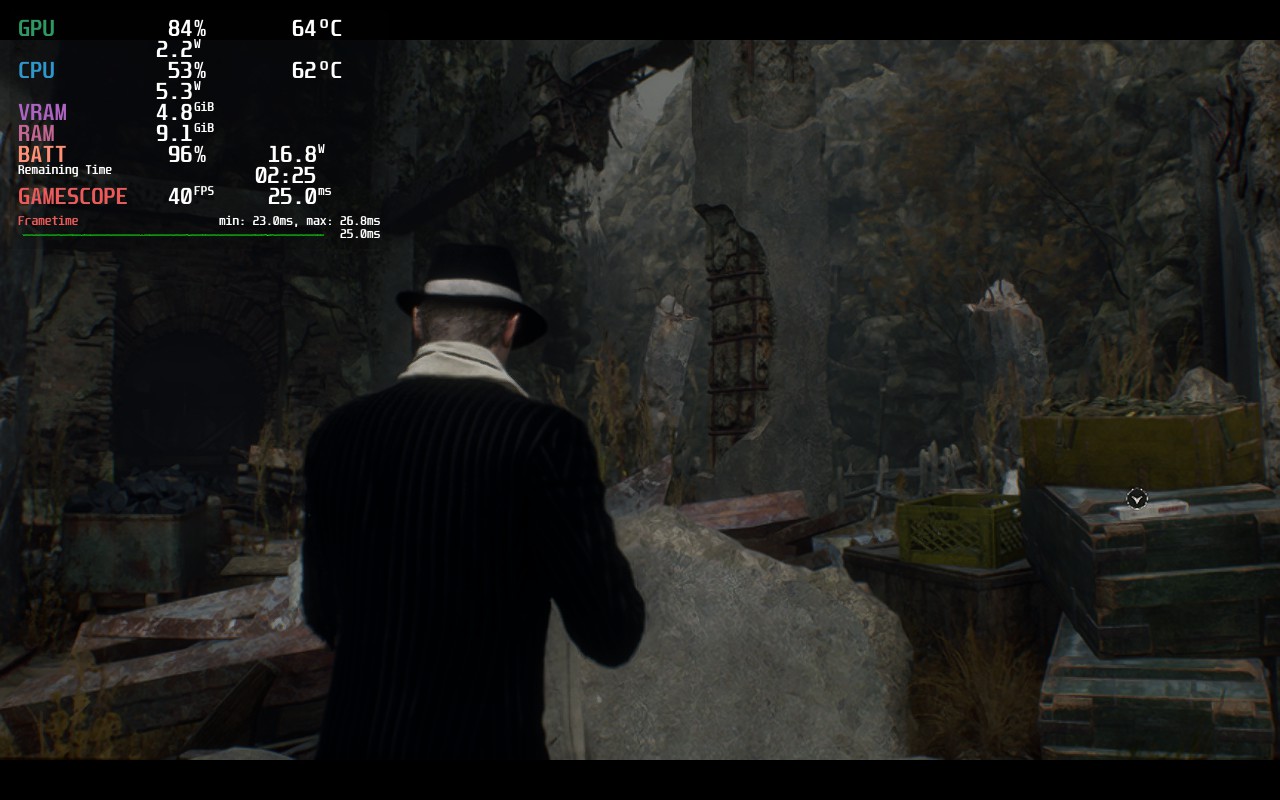
Next, I created a setting list for 40 FPS. There are a lot of compromises here since I wanted to make every area be a stable 40 without destroying the battery, and I feel I did just that. This was the build I tested most, playing through the game with the settings for it. With a lower resolution and a combination of medium and low settings, this is achievable with a TDP limit of 10!
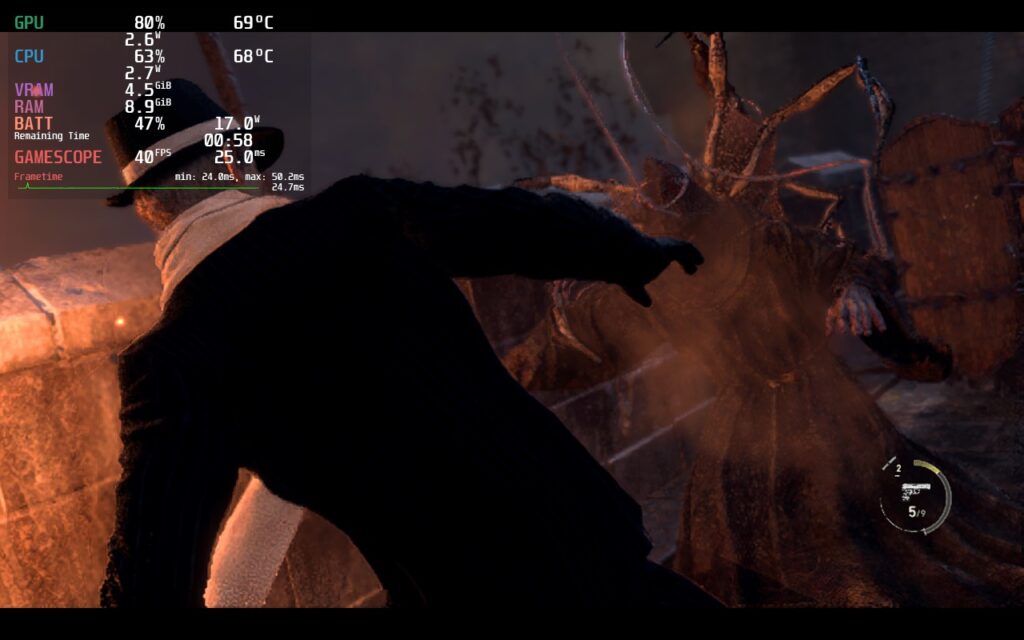
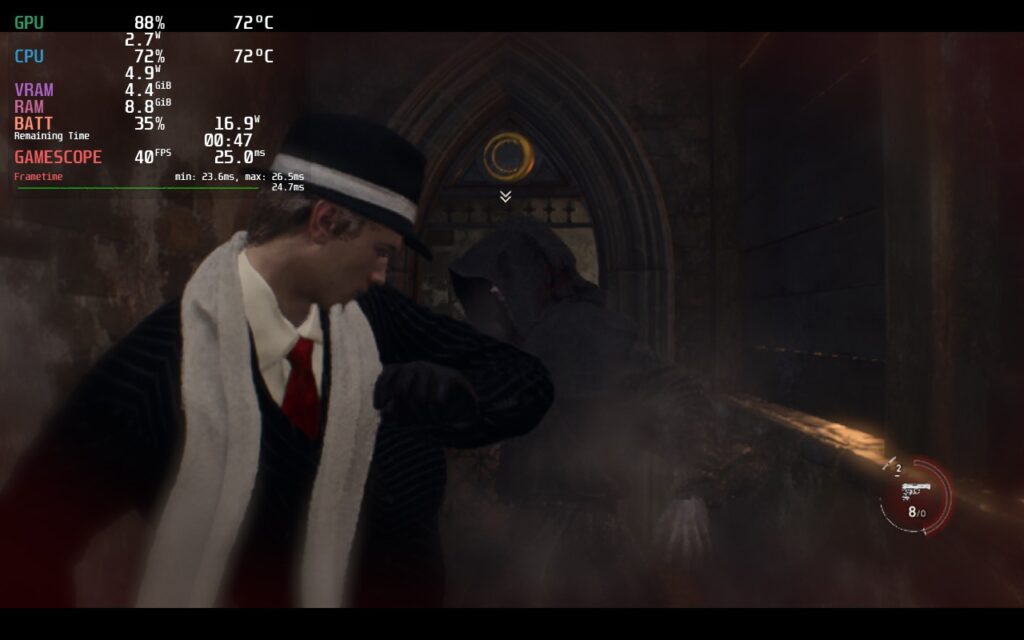
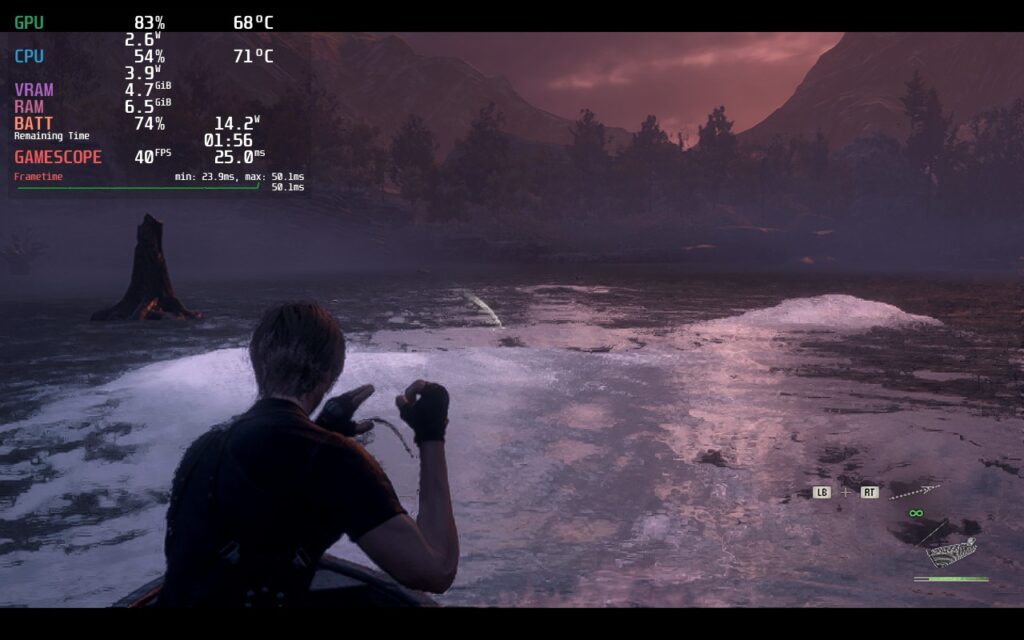
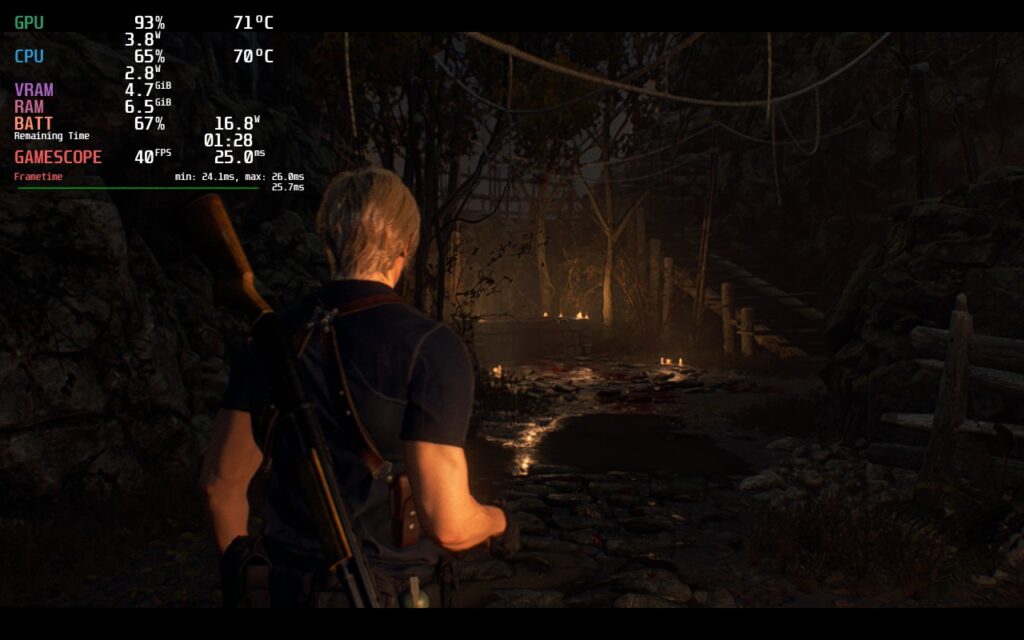
Then we have a battery saver build. My goal with this was a stable 30 and a TDP limit of 7. With a reduction in quality, and a 960×600 resolution, we can see this come to fruition. The 30 FPS cap helps significantly keeping battery drain down and allows for a 3+ hour playthrough with low temps!
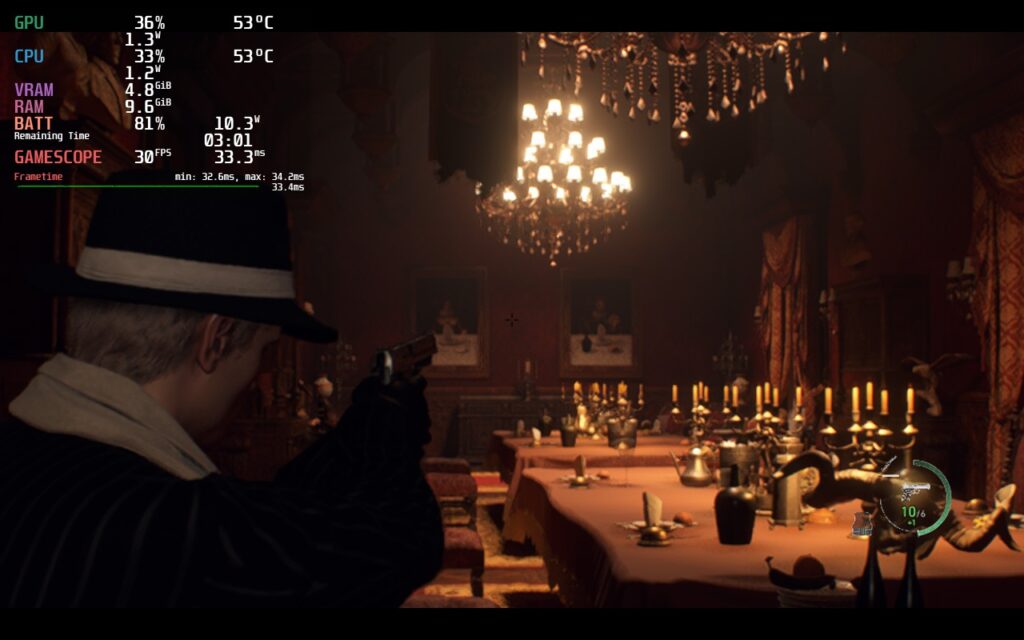
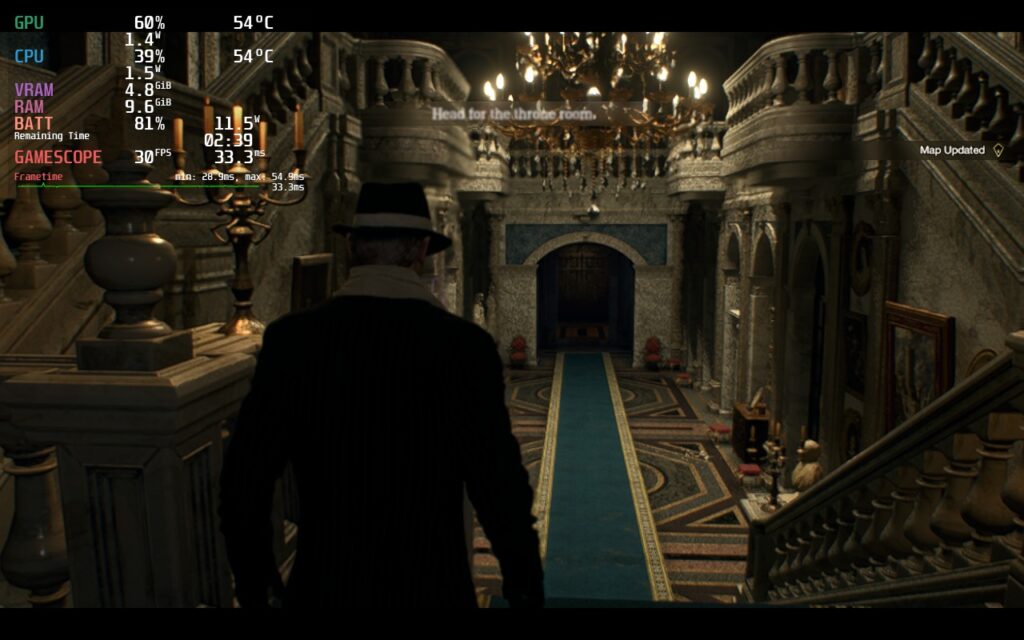
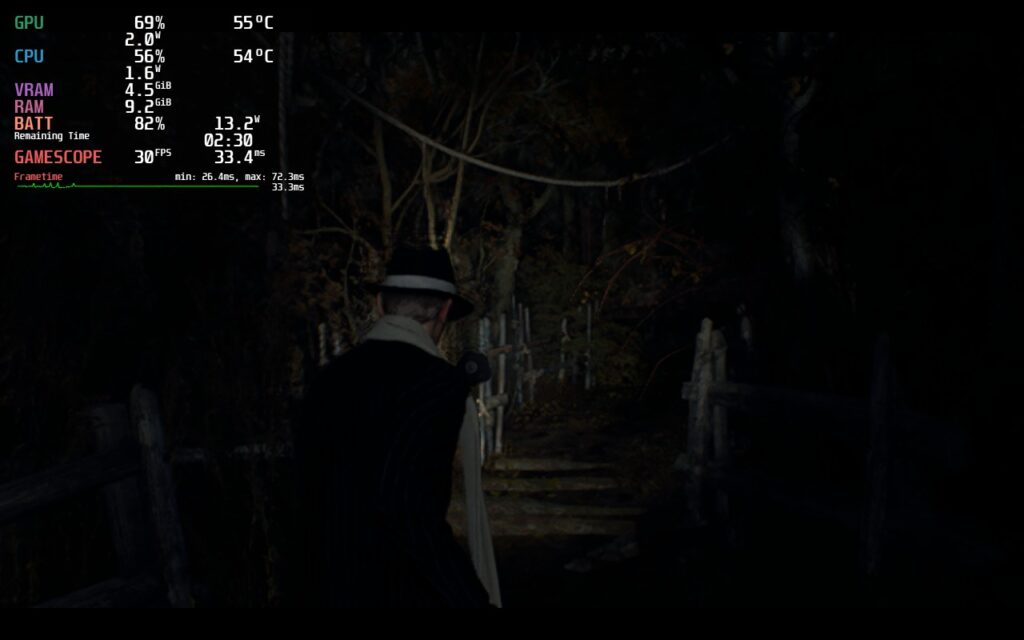
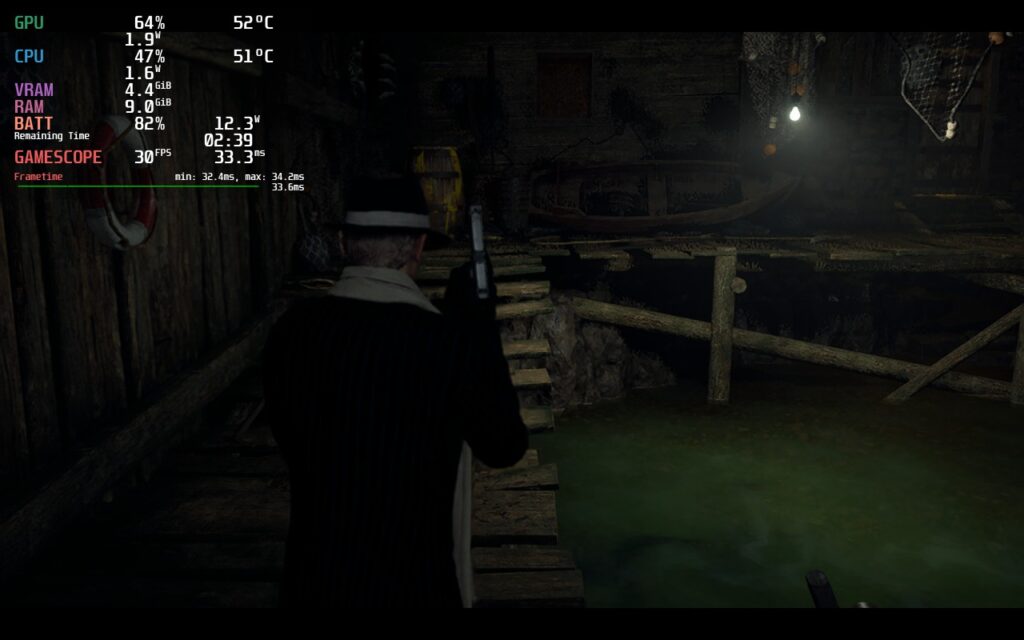
Even though the resolutions for the two other builds are lower, the blurriness didn’t actually affect the game as much. This could be due to FSR 2 and how it looks, but getting used to it was quite easy and definitely not nearly as bad as it seems.
UMA Buffer and CU Tests
I did some extra tests with the UMA Buffer and a mix of CryoUtilities to see if there was any discernable change or improvement to performance in Resident Evil 4. I tested multiple heavier areas including parts of the village and Chapter 8, but I didn’t find any improvements using either of these. It’s possible there was slightly more stability with UMA Buffer of 4gb and CryoUtilities set to recommended, but it wasn’t enough to see any real change to the overall experience. I think it is safe to say you will enjoy this game with or without these changes and not worry about missing out on anything.
Conclusion
Resident Evil 4 on the Steam Deck feels like a dream come true. The fact that this brand new, gorgeous version of a classic game is running so well is a testament to how optimized the RE engine is and Capcom’s skill as a developer. As a fan of the series and the original game, this is a must-have that has improved on the core aspects of the game, while fixing up some of the issues that were part of the original. I do wish we saw more backstory of villains like Krauser, but I am overjoyed with what we got and that Ashley is now a likable character.
On the Steam Deck, the game is a beast and can handle the device and its offerings. With 3 different builds, there are ways to truly enjoy the game however you’d like to and play it through to the end with no big issues. There are some moments of stuttering here and there, but this doesn’t last long enough to make an impact and you will be sucked back into the world near immediately. This is the ultimate RE4 experience and by far my favorite way to really enjoy the game.
Our review is based on the PC version of this game.
If you enjoyed this review, be sure to check out the rest of the content on SteamDeckHQ! We have a wide variety game reviews and news that are sure to help your gaming experience. Whether you’re looking for news, tips and tutorials, game settings and reviews, or just want to stay up-to-date on the latest trends, we’ve got your back






18 comments
fed
Is there a fix for separet ways that does not involve using steam os .3.5 on preview?
NosferatuPants
Why do you use FSR 2 and not Interlaced? The implementation of FSR in this game is just awful. I can barely see the laser sight.
f
Hey, so, im trying these settings? https://steamcommunity.com/sharedfiles/filedetails/?id=2954186133 Can you update as the current recommended ones are waay too low
Noah Kupetsky
With the shader cache now built, we are going back through the game and verifying our settings and checking performance again. I will check out those settings you mentioned though.
f
has thsi ever been tested?
ibis_87
I’m playing with geometry and textures-related settings on Medium, with most lighting-related effects set to low the FidelityFX set to quality, a 30 FPS cap and I get very reasonalble performance with about 2,5 hours of battery life. Not too much of a battery life, but at least the game looks like a decent remake comparable to what you get on current-gen consoles (given the Deck screen size).
Noah Kupetsky
I am going to go through it again later today and tomorrow since the shader cache is there now!
Vincenzo Ciriello
3 hours gaming experiences: with graphics settings on recommended, proton experimental, steam limit of 30 fps and FidelityFX Super Resolution 2: quality, I was able to play very smoothly with very rare frame drops from 1 to 2 places only crowded and with a lot of detail on the screen, these dips lasted just a handful of seconds. all before the release of a bug fix patch or steamdeck optimization patch. forgive me for my bad english.
Noah Kupetsky
We will try this out! Do you by chance know what battery life is like?
Vincenzo Ciriello
this configuration is not battery friendly, especially since a steamdeck optimization patch has not yet been released. last time it lasted 1 hour from 85% down to 5%. finally i would like to say that my steamdeck has steamos 3.5 with kernel version 6.1.12-valve2-2-neptune-61, vram 4g, and cryoutilities on recommended. I am confident that with future updates we will be able to play with the same details at a stable 40-45 FPS
Noah Kupetsky
1 hour having an 80% battery drop? That’s not good. The fastest I have seen a battery drain is around 1.5 hours. I wouldn’t place bets on specific patches for the Steam Deck though, it isn’t a guarantee they will do it.
Vincenzo Ciriello
In fact, the battery life is very little, by doing a further test from 100% until the steamdeck is turned off, I managed to get to 90 minutes of play. unfortunately this is the compromise to play at a better graphic quality.
Vincenzo Ciriello
hi, I’m very interested in a configuration that is not based on energy saving since I always use the steamdeck connected to the power outlet. maybe a configuration that points to quality but with at least 30 fps fixed.
Noah Kupetsky
You got it! We are working on one for our full review. It will take a little, since we are still at PAX, but it will be one of our builds in the full review!
Vincenzo Ciriello
hopefully they release update patches for more optimization for steam.
Noah Kupetsky
We are too. Would love to see them. We still gotta check out the shader cache as well!
jason
Nothing to do with this thread. I just wanted to say how awesome you guys are. I use your site all the time and love how you guys put the time in to make the rest of our lives a little easier dealing with settings. Keep up the good work
Noah Kupetsky
Thank you so much <3 you have no idea how much that means to me.
Comments are closed.