


Quite possibly one of the best Warriors games I have played, Warriors Orochi 3 is the third entry in the ensemble series from Koei Tecmo. Fight as over 145 characters from the Dynasty and Samurai Warriors franchises, with some guests from DEAD OR ALIVE and SOULCALIBUR series, and plow through thousands of enemies as the ultimate fighting machine in teams of 3. Level up your characters, combine and build new weapons, and partake in the story and more to become the most powerful fighter on the field.
Warriors Orochi 3 on Steam is also the ultimate edition, which includes tons of special costumes, wallpapers, music, weapons, stages, and more scenarios/story chapters. You will also be able to partake in a multitude of modes including Duel Mode, a 1v1 mode, Musou Battlefields, a mode where you can customize battlefields, and Gauntlet for party battles. With everything you can do in the game, the content will hold your time, but is it worth investing on the Steam Deck?
Warriors Orochi 3: Performance
Yes, yes it is worth investing on the Steam Deck! When I first launched the game, I did notice the resolution was way off and capped at 30 FPS, so diving into settings was a must. Warriors Orochi 3 started me off on 640×360 resolution, so I knew that immediately needed to change, and V-Sync set to 30. After changing and applying both of these, there was no change and the game looked like it appeared to vibrate. This was fixed by just setting the display mode to windowed, everything worked perfectly after that!
I kept the settings at default and started to mess with bringing the battery down, which I was able to do pretty nicely. A combination of TDP at 7 with GPU Clock Speed at 1200 kept battery below 13W and stayed very stable. I did also notice that the framerate would drop a bit to 59 or go to 61 at times, but setting the refresh rate and FPS cap to 59 solved this and kept the game running buttery smooth. This is definitely the best way to play the game.
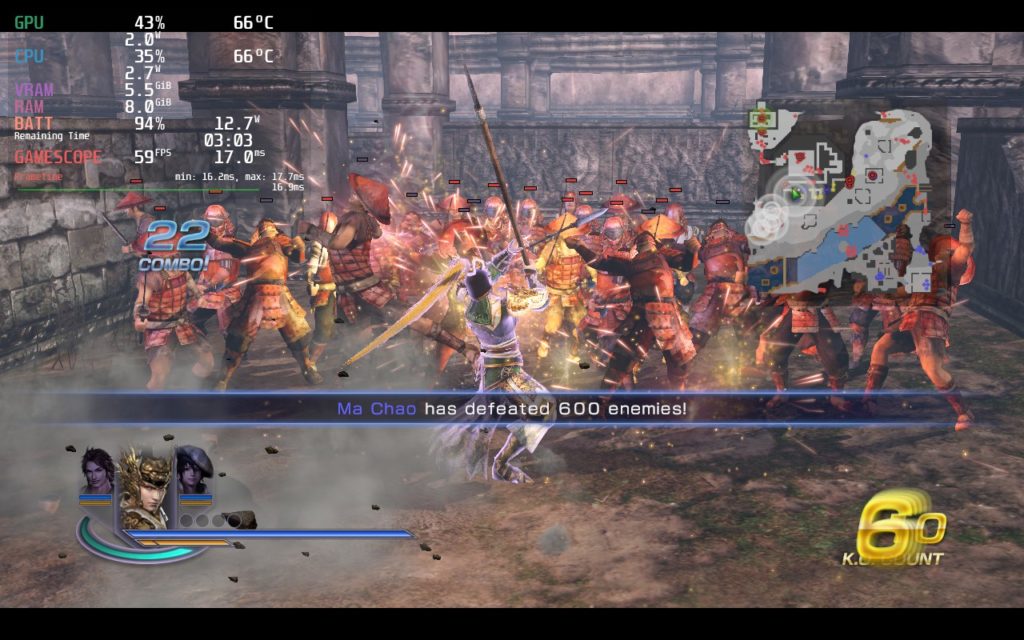
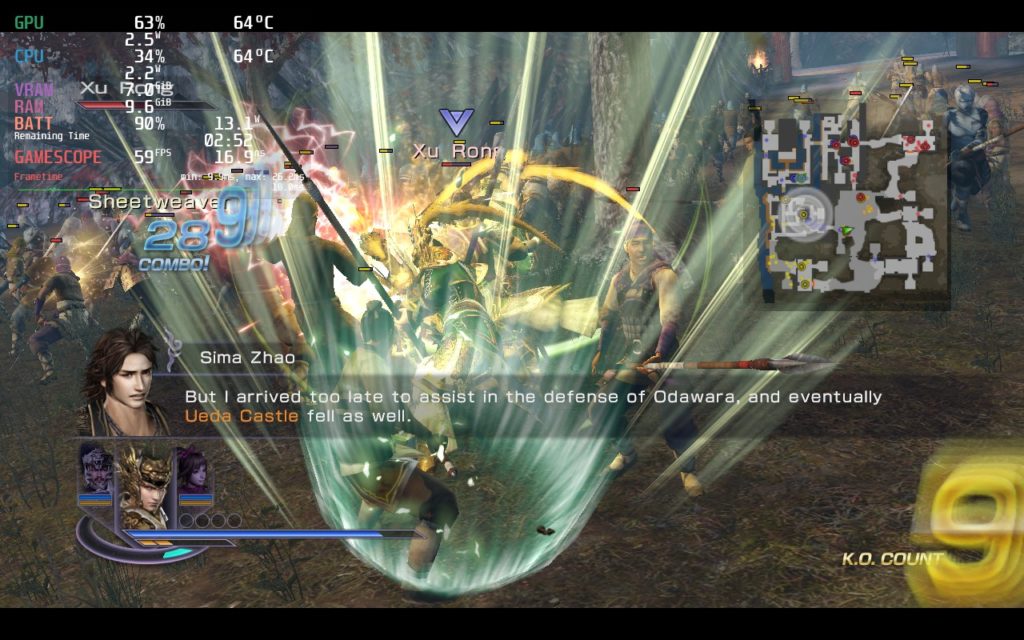
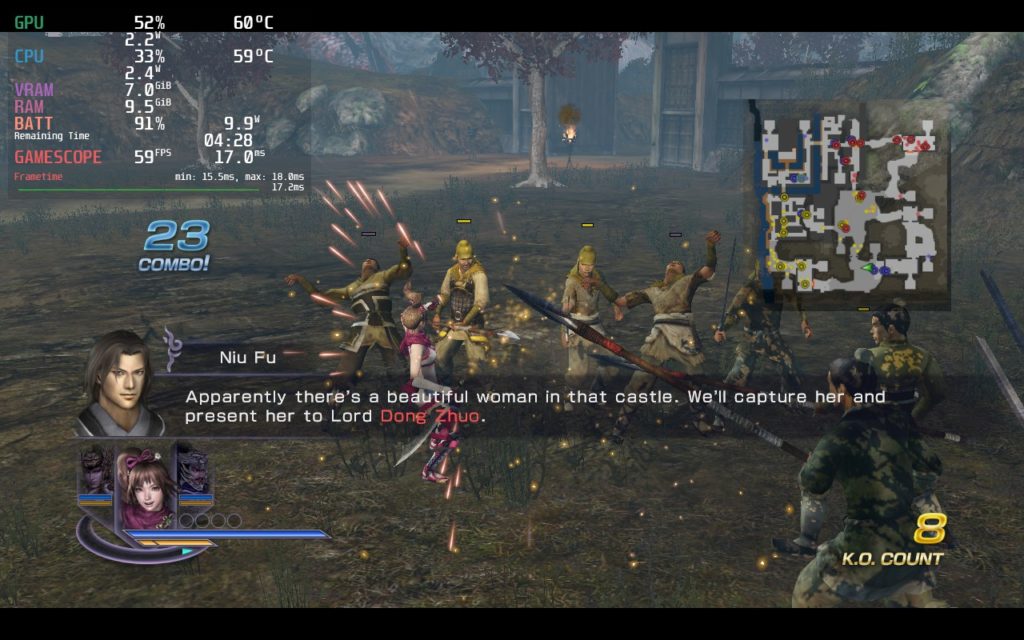
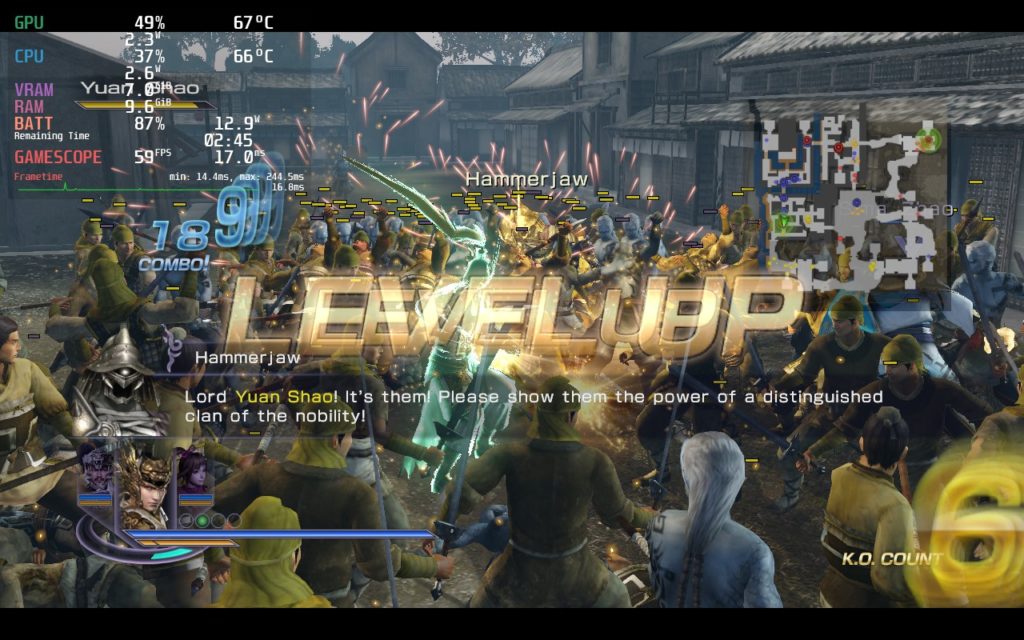
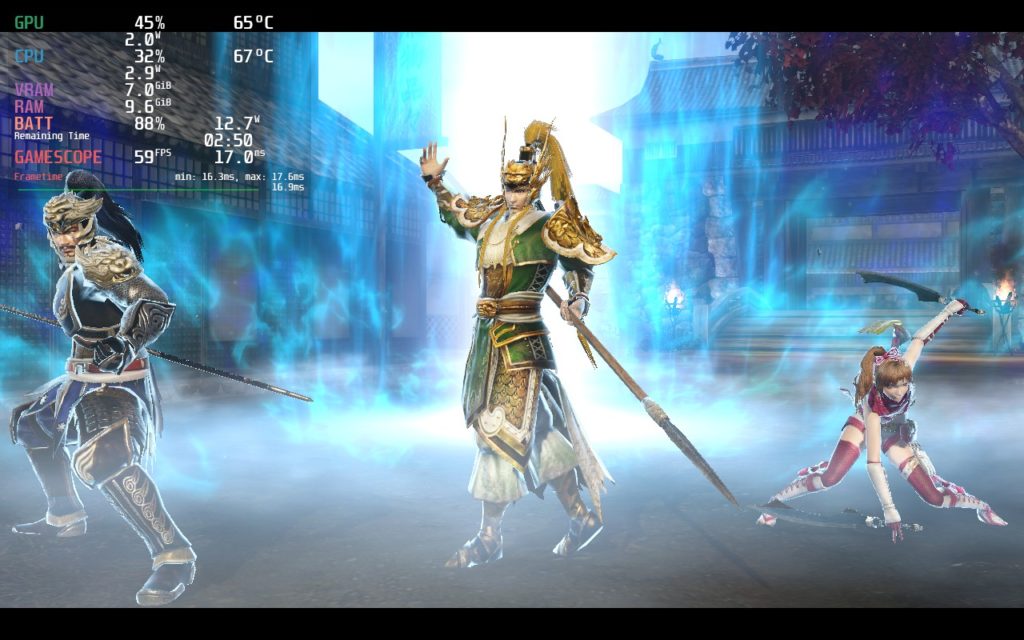
I did try lowering framerate to see about a battery-focused build, but the game locks to 60 when V-Sync is set there. This means trying to lower it through refresh rate will slow the entire game down. You can set the game’s V-sync to 30, but the game feels amazing at 59 and shows no slowdown from 60, so I would say this is the best way to play overall.
I did notice one spot on a map where the framerate dipped to 55-56, but this was a one-time thing and seemed to be more based on the area vs the volume of enemies. I have been in a bunch of other maps with more enemies and there was no issues.
Swapped Controls and Reverted Settings
I noticed that Warriors Orochi 3 does have the A and B buttons swapped in-game. This can be easily fixed by going into the control settings and changing the 1P settings to swap A and B respectively. I did also notice that, going back into the game, the window settings went back to fullscreen and started vibrating again, so I had to swap back to Windowed and it was back in working order. On every launch, it started to vibrate again, so to fix this, you just need to go to your graphics settings, make sure the display mode is “Windowed”, and then hit apply. You might need to do this 2 times.
Conclusion
Warriors Orochi 3 Ultimate Edition is one of my personal favorite warriors games. The abundance of characters, progression for each character, maps/scenarios, and interesting modes gives enough content to last a good chunk of time. And on the Steam Deck, this game feels incredible to play when it works. It gets a bit on the annoying side when I needed to fix the settings on each boot, but otherwise, this is my favorite way to play this game easily!
Our review is based on the PC version of this game.
If you enjoyed this review, be sure to check out the rest of the content on SteamDeckHQ! We have a wide variety game reviews and news that are sure to help your gaming experience. Whether you’re looking for news, tips and tutorials, game settings and reviews, or just want to stay up-to-date on the latest trends, we’ve got your back





