

This game was tested with a Steam Deck LCD. OLED testing is coming soon.
I’ll admit, I had pretty low expectations when going into HELLDIVERS 2 for its review. The trailers pre-launch gave me the impression that it would be an arcade shooter with cheesy humor. Fortunately, I was completely off the mark at just what kind of game it was. With pretty deep gameplay mechanics and exciting gunplay, HELLDIVERS 2 is a welcome surprise for sure.
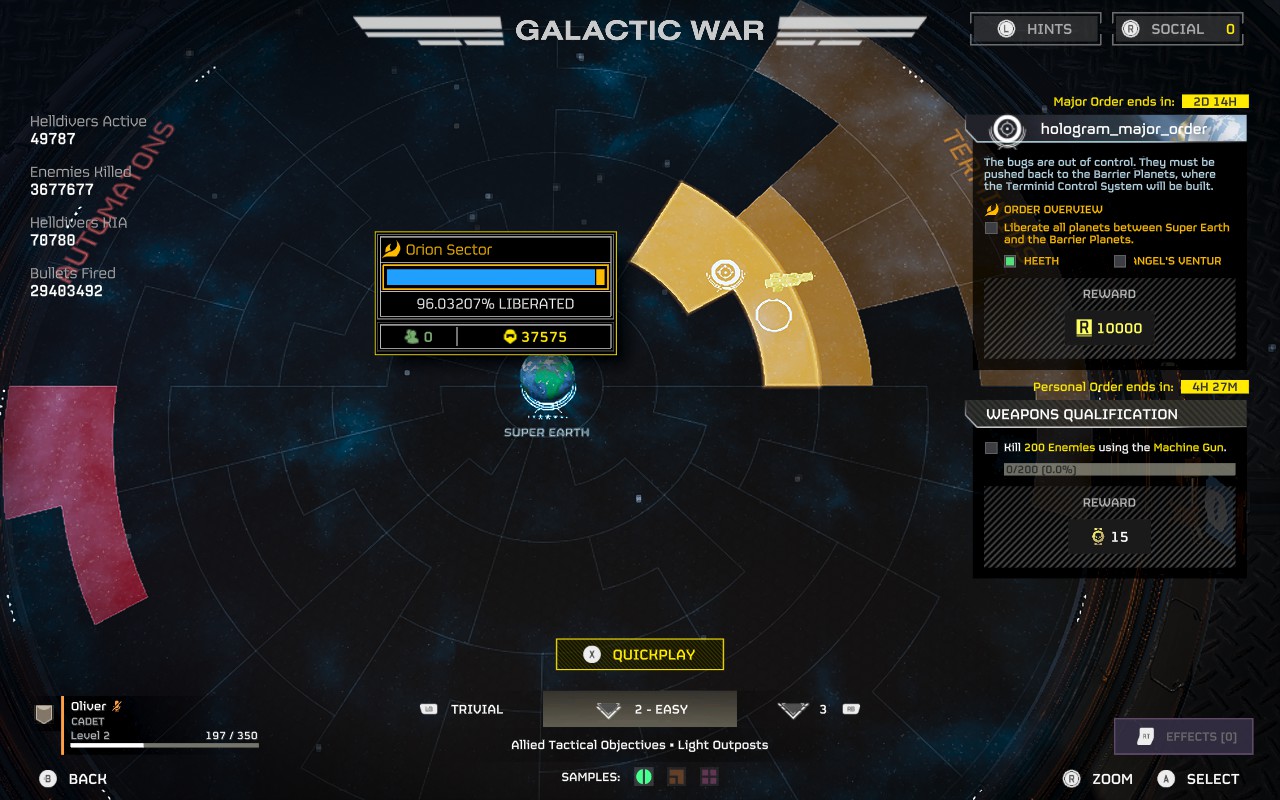
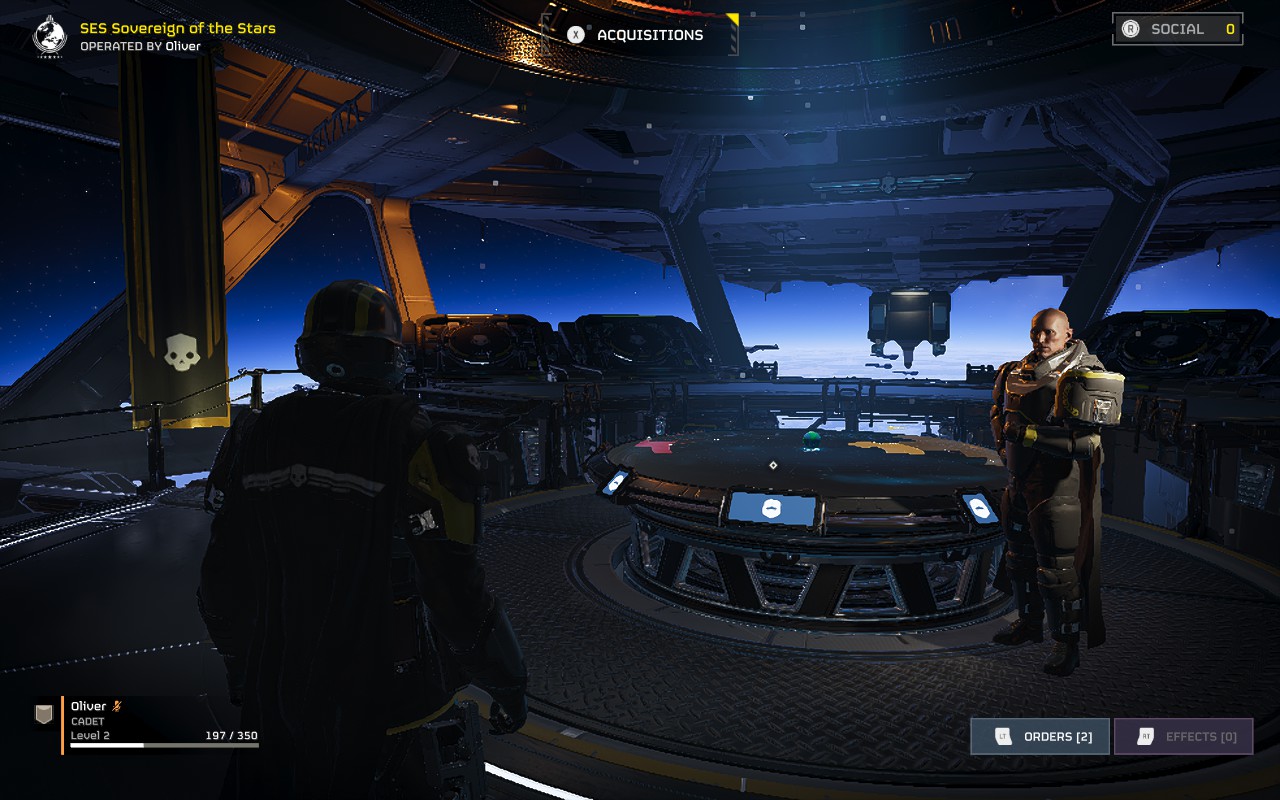
HELLDIVERS 2 is set during a war between the Humans, Terminids, and Automatons. Players have to navigate to invaded systems and “liberate” them, using the sector map on each player’s capital ship that they command. Once you’ve selected a planet, you can then select a generated mission on that planet. You and up to 3 friends can use drop-pods to land on the planet, which puts you in a small mission area where you can carry out your objectives. This is when the real fun begins.
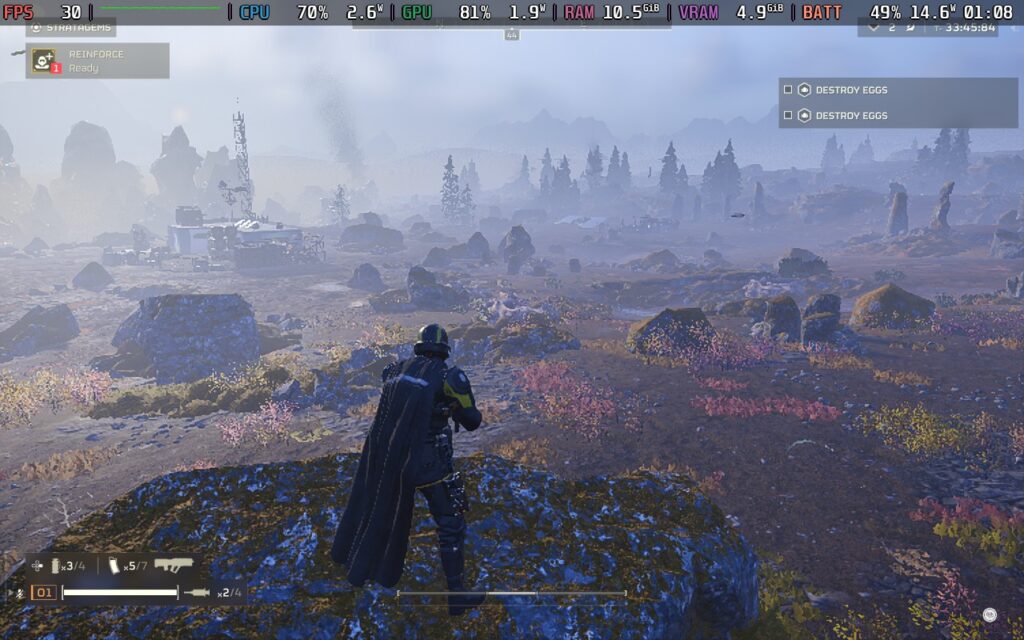
The gunplay in HELLDIVERS 2 is excellent. Rather than the arcadey shoot ’em up I was expecting it to be, the game incorporates realism almost everywhere. Recoil requires you to plan your shots while you also balance aiming at specific body parts of enemies to deal maximum damage. The movement is also smooth, allowing you to dive, sprint, crouch, and vault over obstacles. It all adds up to make an excellent combat system that’s super satisfying and challenging.
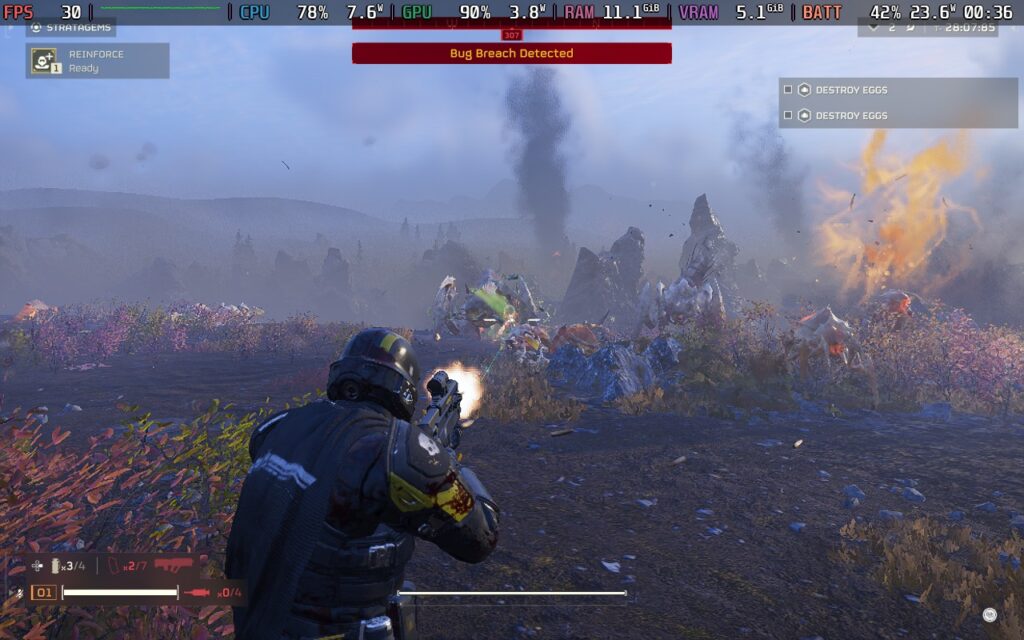
There’s also the “Strategems” feature. By holding down LB and pressing a combination of Dpad buttons, you can order supply drops, orbital bombardments, additional weapons, and more from your dropship orbiting the planet. There’s a variety of stratagems that players can equip, allowing you to coordinate with your teammates to create a balance.
Another thing that’s worth mentioning at this point is that I wouldn’t play this game entirely solo. It is difficult, and to tackle higher-difficulty missions, you will NEED a team with you. The game does have random matchmaking, so having friends who play isn’t strictly necessary, but it’s an experience best shared with your pals. Communication is key as it allows you to alert your squad to enemies approaching from a flank or warn them that you’re calling in an orbital strike, etc., and there is friendly fire, so using the voice chat in-game with the Deck’s microphone is recommended.
If communication via voice is difficult for you, you can disable voice chat entirely and use a ping system to communicate with your teammates.
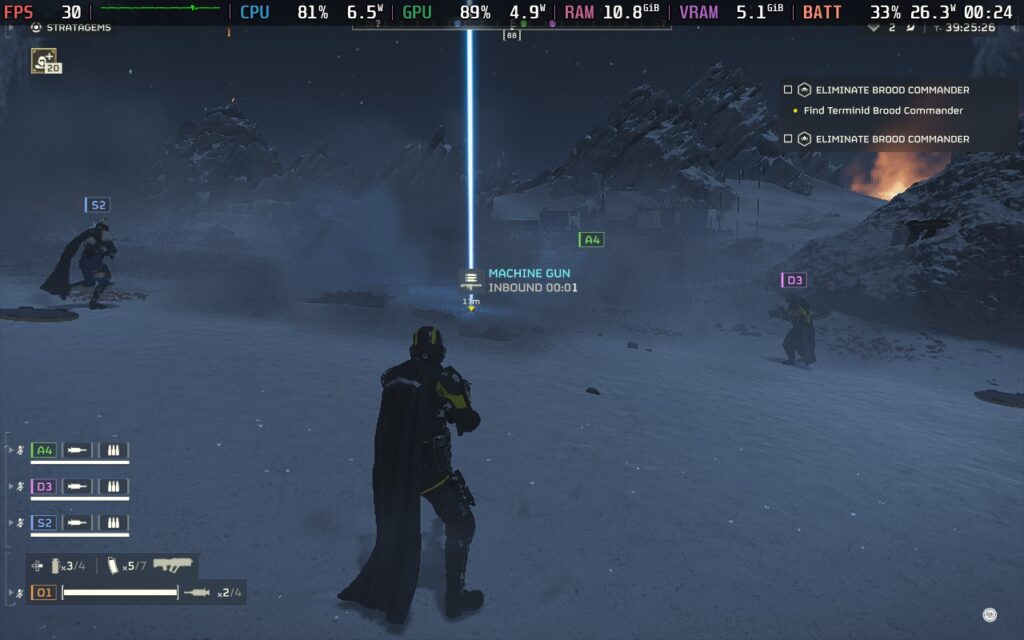
During missions, you will often have to solve small “puzzles,” which require your complete attention and leave you unable to defend yourself. On outright extermination missions, it can also be tough alone, as enemies tend to approach from all directions, making it difficult for you to avoid being flanked or surrounded, leading to a quick death.
HELLDIVERS 2 is an online-only title, so while you can play singleplayer, the missions are always hosted online as every mission that a player completes adds to the “liberation” percentage of the planet; this always online led to a few problems in the launch week, due to overloaded servers. However, server capacity has increased since launch, and the issues seem mostly resolved.
HELLDIVERS 2 – Steam Deck Performance
HELLDIVERS 2 gets off to a good start. It supports the Steam Deck’s 1280×800 native resolution, it has UI scaling, allowing you to get an easily readable HUD, and it has a wide variety of graphics settings to choose from. And yes, it does have HDR support!
Interestingly, the game taxes the CPU more than the GPU, especially when swarms of enemies appear. This means that although the game can appear to run at 40 FPS when walking around a planet, once enemies start to appear and swarm, the FPS will quickly drop. Due to this, I only have one recommended build with an emphasis on stability.
Recommended Settings – 30 FPS
Start by setting a 30 FPS lock in your SteamOS settings, and don’t set a TDP Limit.
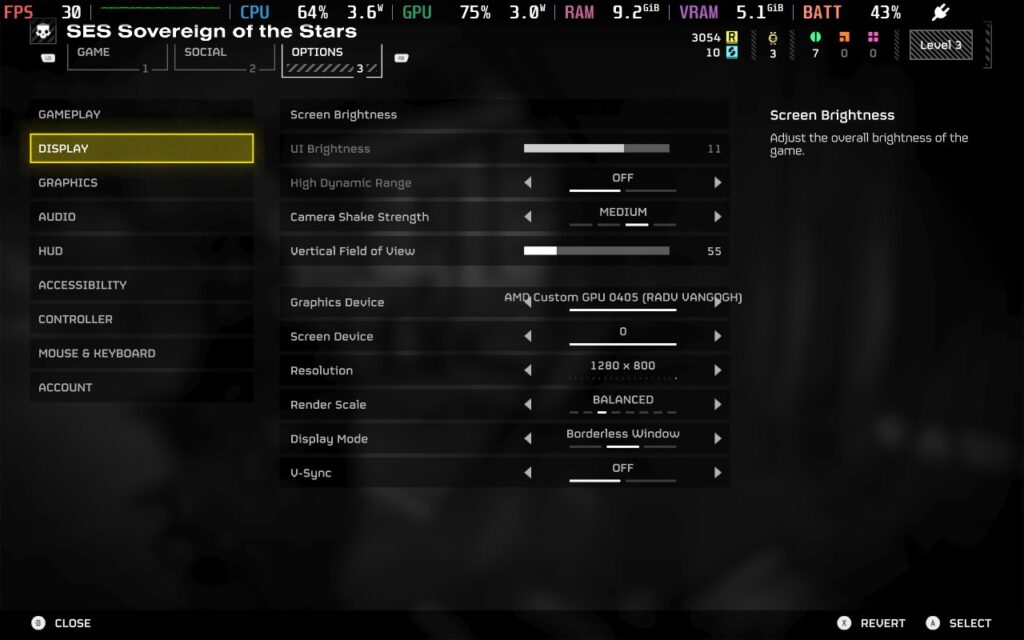
Then, head to the “Display” settings in the options menu; we’re keeping the 1280×800 resolution but setting the “Render Scale” to “Balanced”; this lowers the resolution and applies upscaling, which helps performance greatly.
Now, we can move to the “Graphics” menu, which is where the majority of our changes will be. We’re disabling Depth of Field and Bloom, setting Texture Quality to “Ultra,” and then using a mix of Medium and Low settings for the rest of the choices.
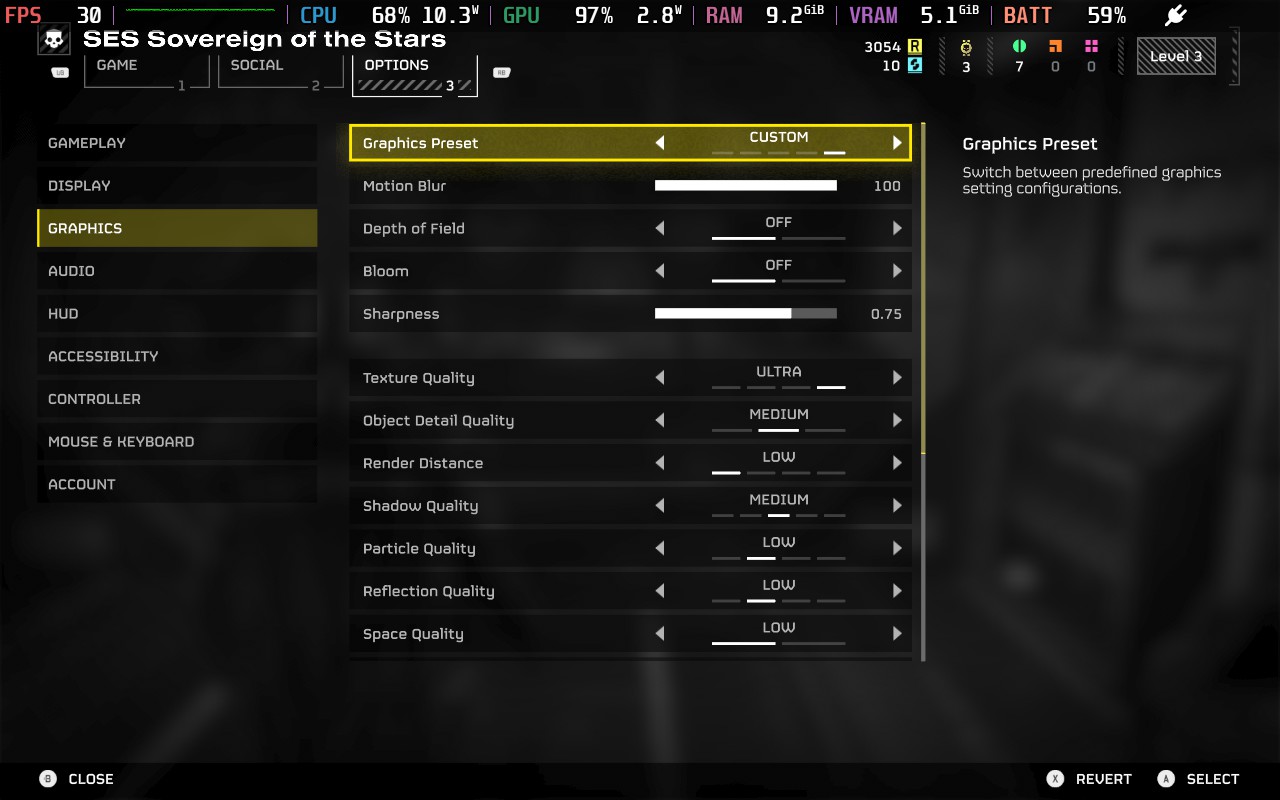
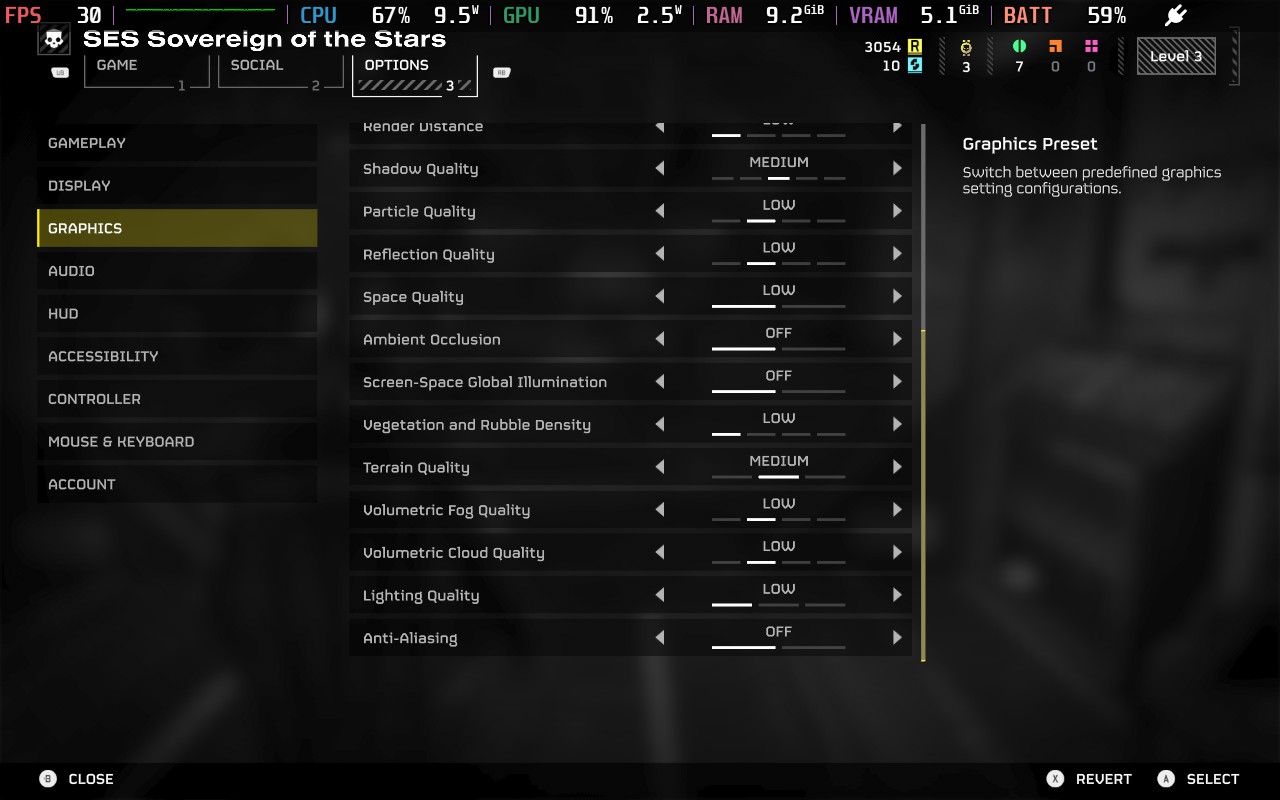
Using these settings, we can maintain 30 FPS for almost the entire time, with some exceptions when large amounts of enemies are swarming. Lowering the graphics settings essentially allows the Steam Deck to devote more power to the CPU instead of the GPU, to mitigate frame drops when enemies begin to swarm. Unfortunately, even with these lower settings, the Steam Deck will still struggle when there is a large amount of enemies and visual effects happening. This is particularly common when trying to extract, and your squad is firing everything they’ve got at the incoming swarm. I saw dips into the low 20s at times, but this was brief, and we still feel the game is playable.
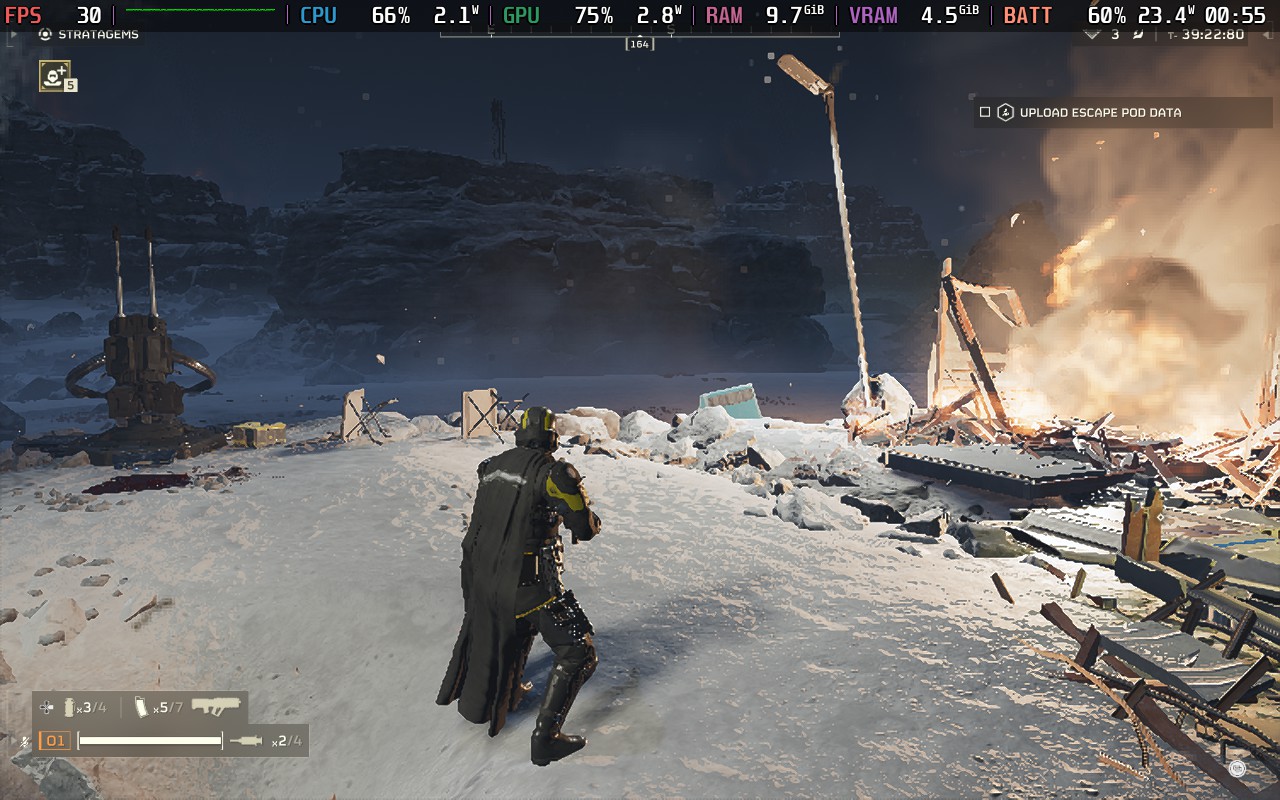
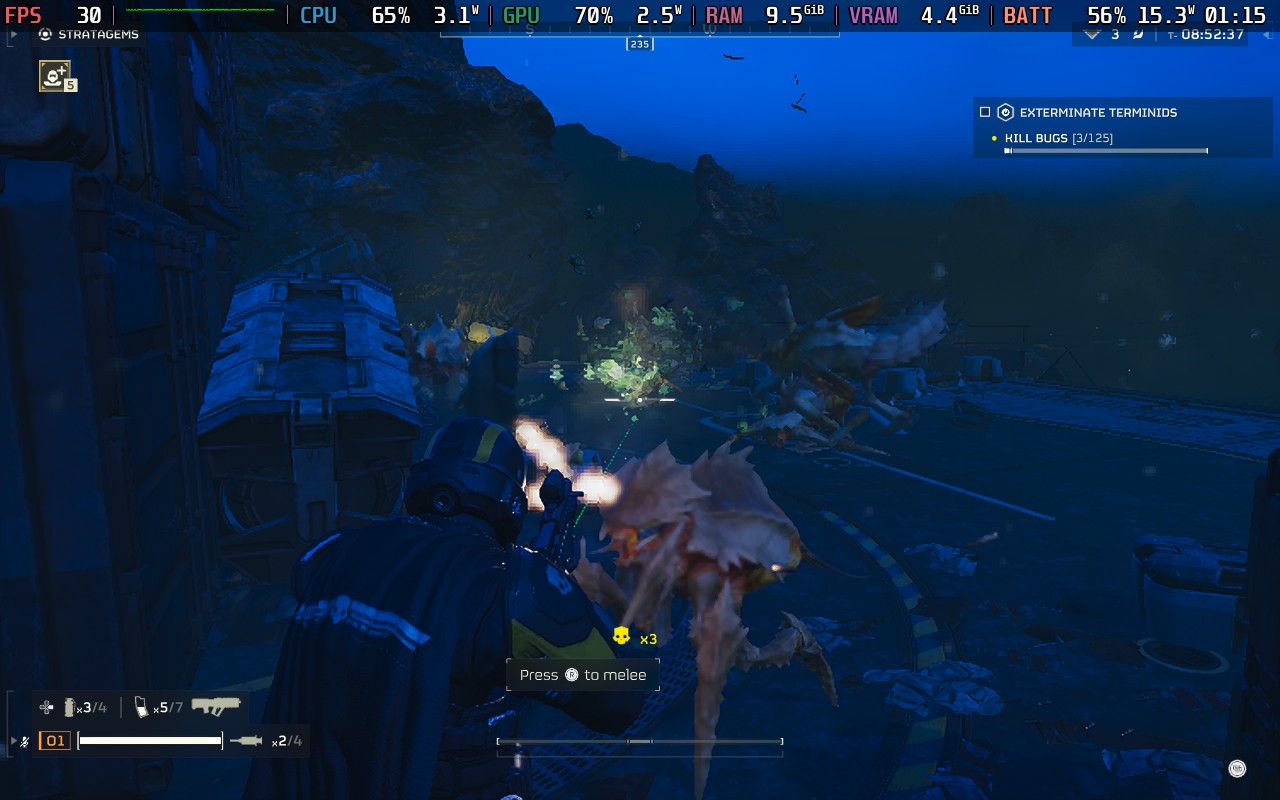
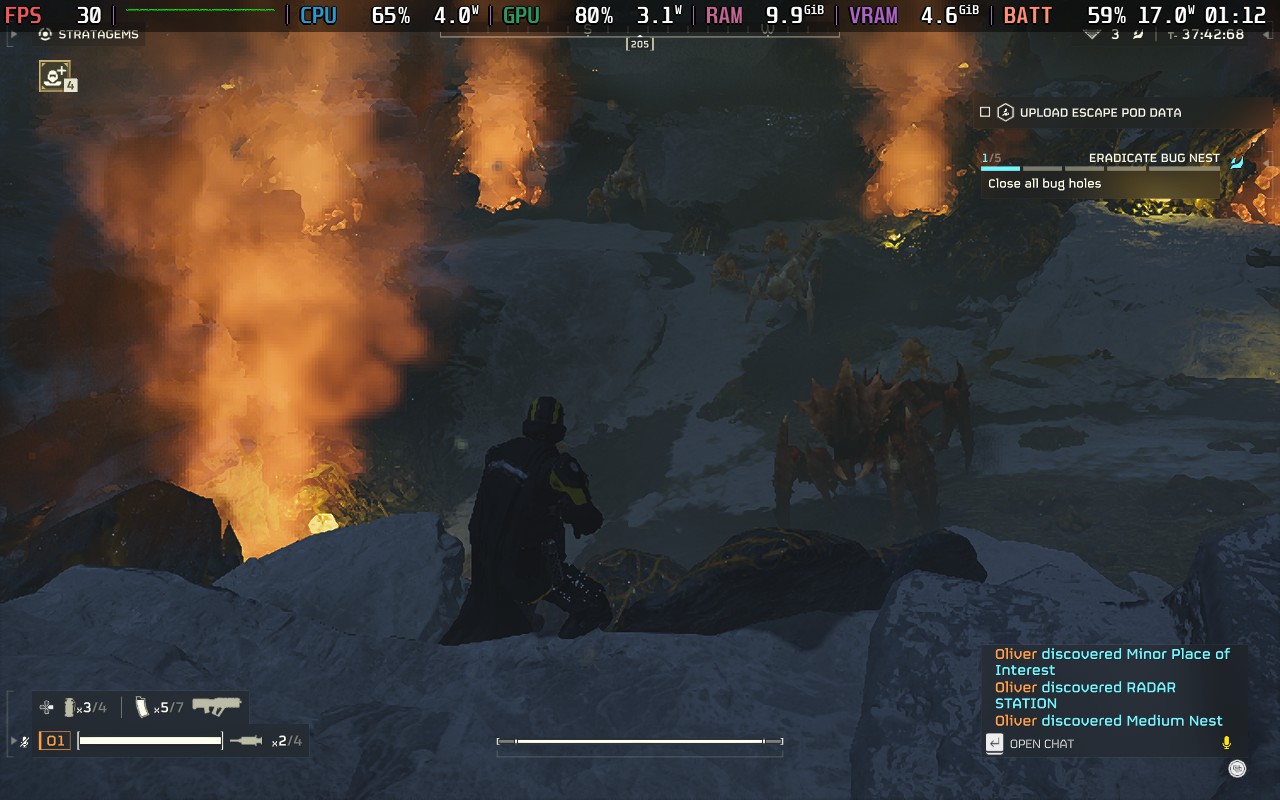
Battery drain is all over the place, depending on the situation. When wandering the planet with no enemies swarming, I saw a drain of around 15W, but this quickly rose to around 25W when the swarm arrived. Temperatures follow suit, running at around 70C when the situation is quiet but quickly rising to 85C in intense combat. This means you should expect around 80 minutes of battery life from a full charge.
Accessibility:
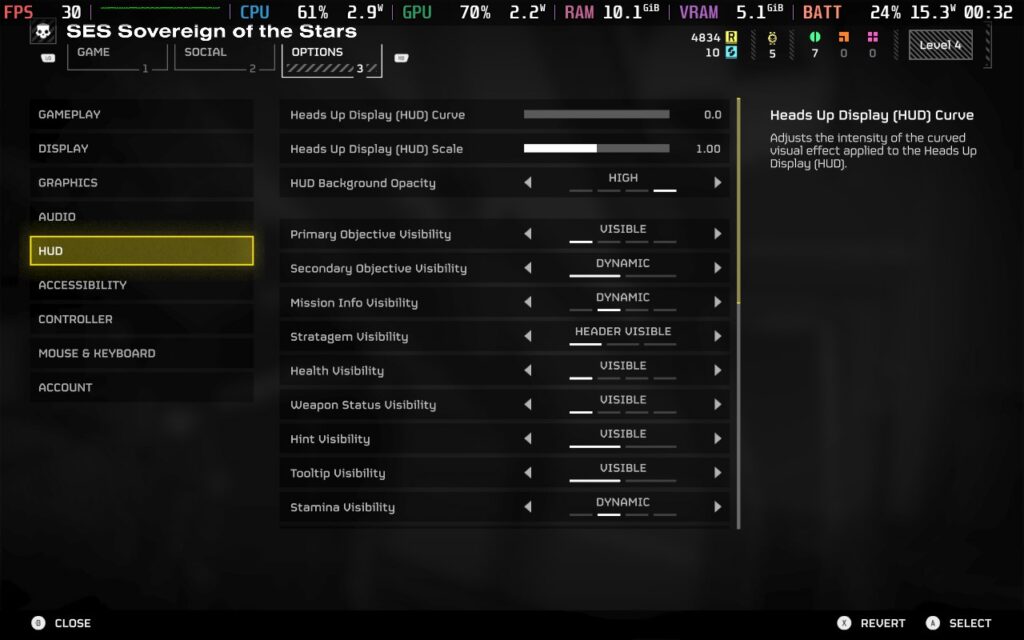
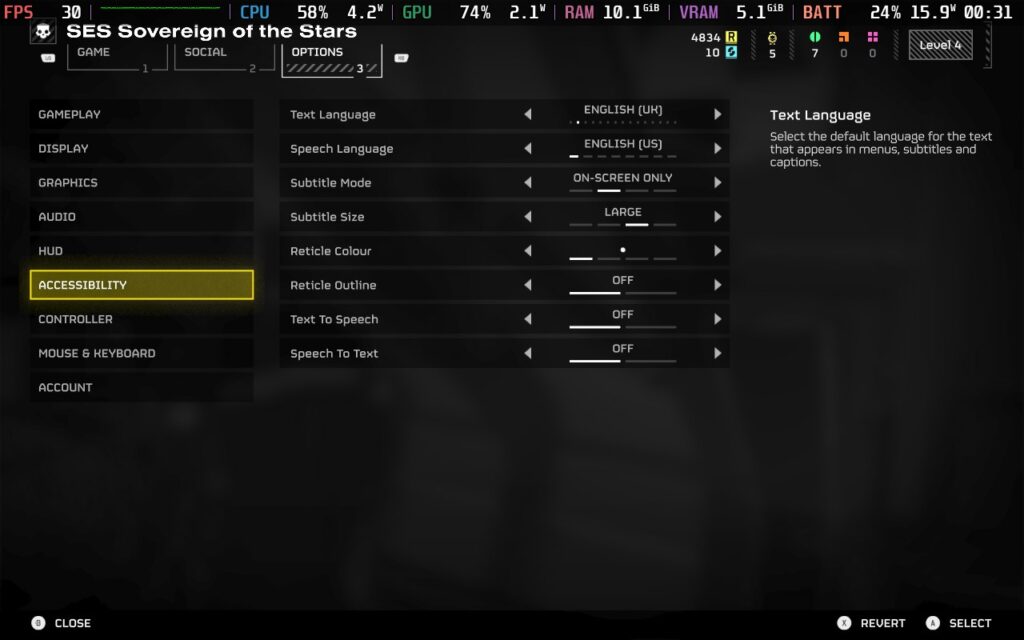
HELLDIVERS 2 offers a good amount of accessibility options for players. You can adjust subtitle and UI size, change the color of your reticule, have both Text to Speech and Speech to Text for communicating with other players, and adjust settings to make HUD elements more or less visible.
Conclusion:
HELLDIVERS 2 offers a comprehensive and satisfying combat system wrapped in a galactic war that makes you feel like you’re impacting the wider situation. The game feels polished and allows for strategic gameplay and teamwork to take the fore. While I would hesitate to recommend this game to solo players, if you have friends who want to play or are just willing to work with random players online, then HELLDIVERS 2 is worth your consideration. Performance on the Deck isn’t the best, but it’ll run at 30 FPS for most gameplay and give you a playable experience.
However, please remember that the game requires a constant internet connection.
Our review is based on the PC version of this game.
If you enjoyed this review, be sure to check out the rest of the content on SteamDeckHQ! We have a wide variety of game reviews and news that are sure to help your gaming experience. Whether you’re looking for news, tips and tutorials, game settings and reviews, or just want to stay up-to-date on the latest trends, we’ve got your back.