

It looks like there’s a new feature that will be added with the upcoming stable SteamOS 3.5 update to help modify our Steam Deck screen colors! Along with the saturation slider, it seems Valve is going to also add in the ability to change the screen temperature too.
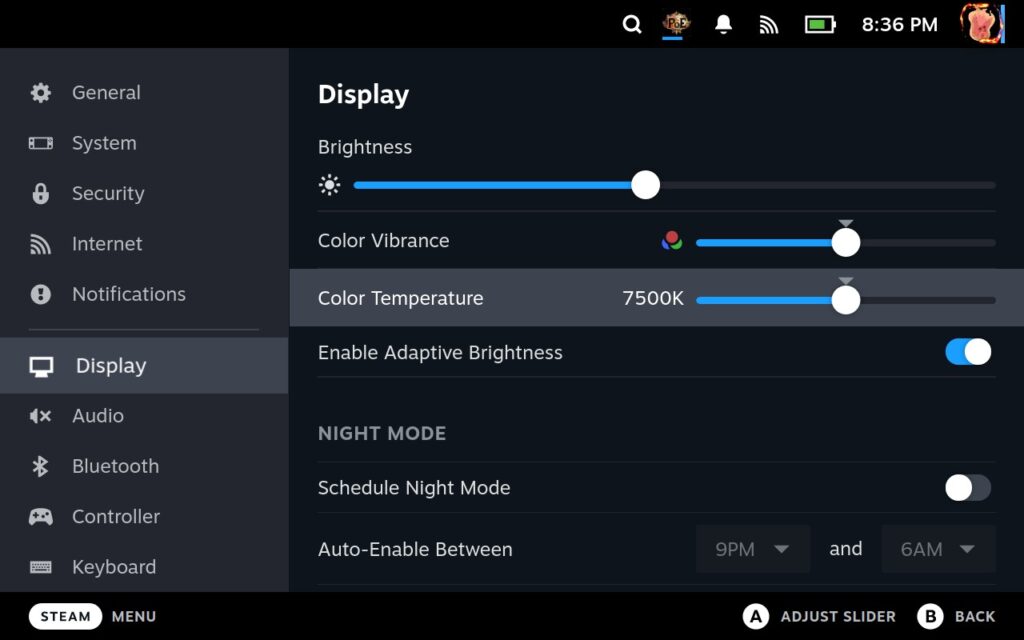
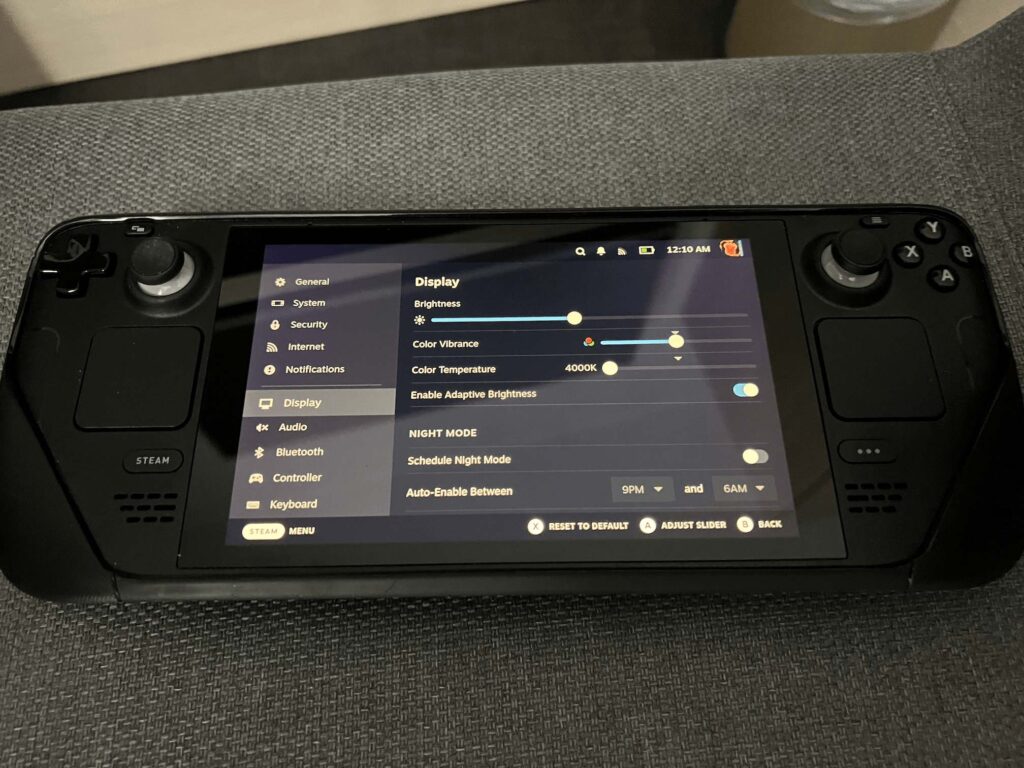
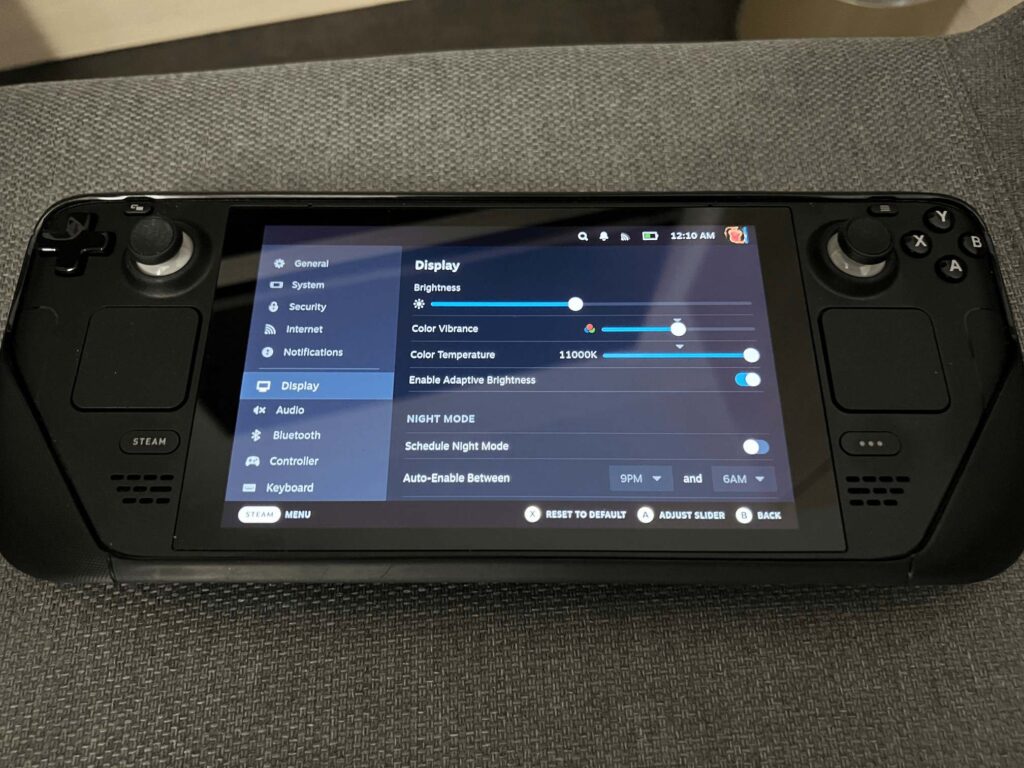
With the screen temperature, we can fine-tune the color of the screen. With this setting, we can change the blue light on the screen. So, if we set it to the left, we get a more golden screen reminiscent of night mode in devices, while turning to the right makes the screen more blue.
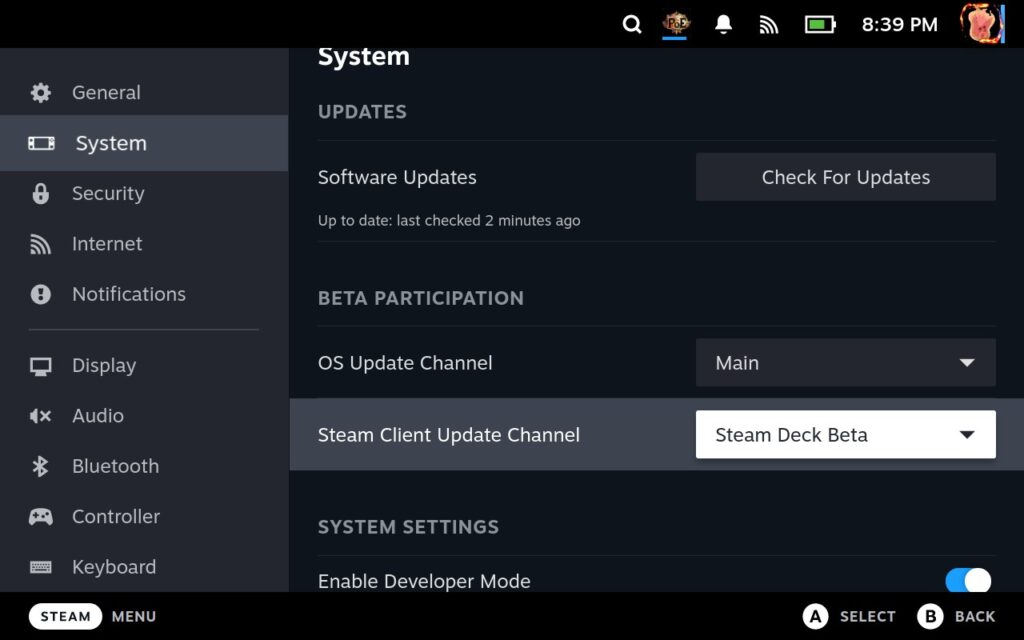
To try this, you must enable developer mode in System Settings and enable the “Show Advanced Update Channels” in the developer settings. Then, back in System settings, you must set the OS Update Channel to “Main” and the Steam Client Update Channel to “Steam Deck Beta.” Do these one at a time instead of changing both immediately.
If you enjoyed this article, check out the rest of the content on SteamDeckHQ! We have a wide variety game reviews and news that are sure to help your gaming experience. Whether you’re looking for news, tips and tutorials, game settings and reviews, or just want to stay up-to-date on the latest trends, we’ve got your back!